
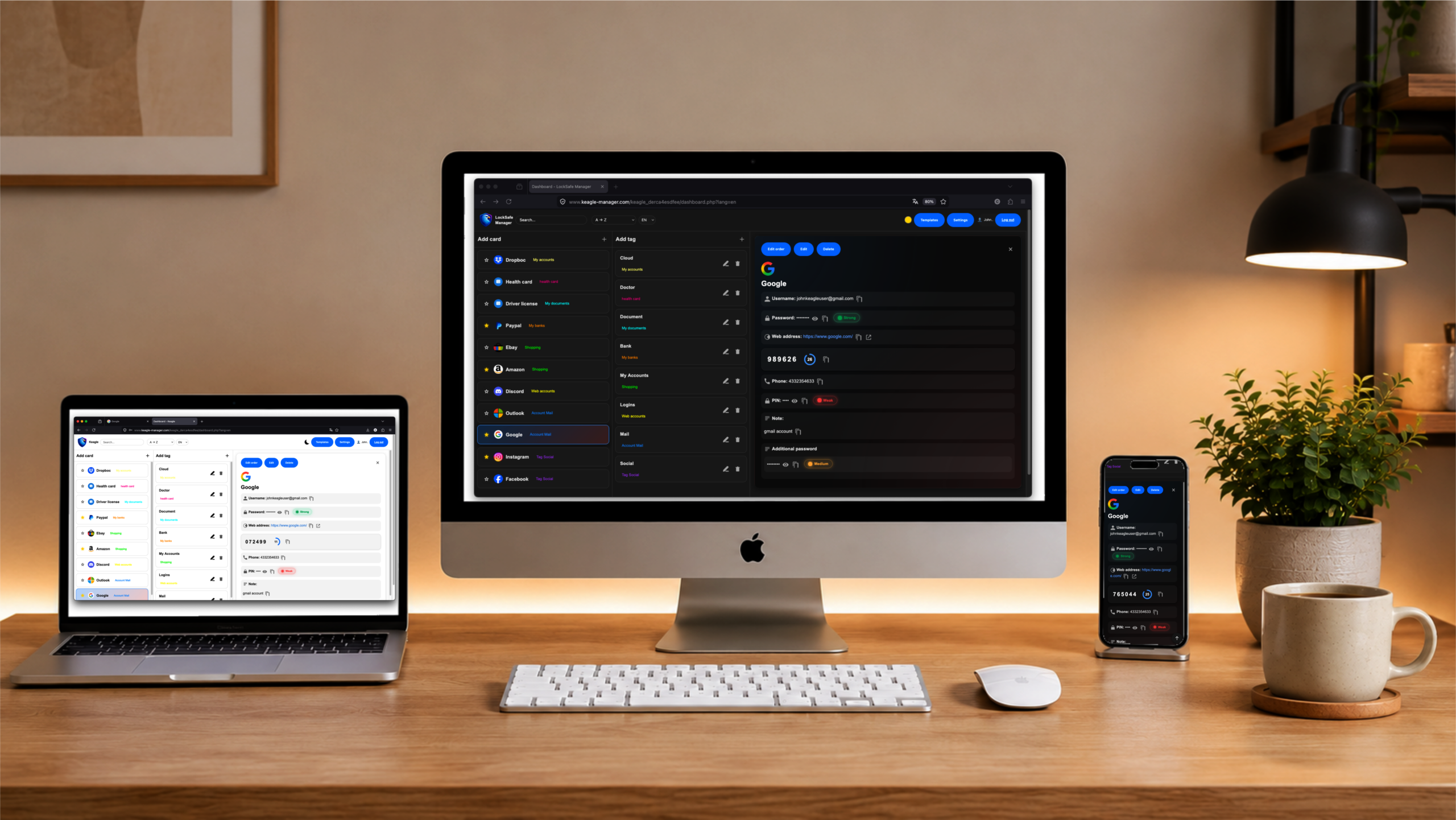
Your self-hosted password manager
Keagle Password Manager offers a secure and private solution for storing your passwords, ensuring full control and maximum confidence in the management of your data.
- Technology: A powerful web tool ready to deploy on any server.
- Absolute control: Your data stays with you, under your own environment
- For everyone: An ideal solution for both businesses and individual users.
Who is it for?
Businesses with large teams
Centralize all corporate credentials in a single secure dashboard. Each employee logs in with their master password—no need to remember dozens of access keys. Perfect for internal servers, external hosting, or hybrid environments.
Online stores and CMS‑based websites
WordPress, PrestaShop, Joomla, editors, administrators… Everyone can manage their credentials securely from your own hosting, without relying on third‑party services.
Programmers and developers
If you work locally, this manager is pure gold. Organize project passwords, databases, APIs, and development environments directly from localhost. That’s exactly where the idea was born.
Users who want total independence
If you prefer having your own private manager with no subscriptions and a lifetime license, this is your tool. Host it on your server or local environment and enjoy complete freedom.
Why choose the self‑hosted Keagle Password Manager?
Easy installation
It installs just like any well‑known CMS and doesn’t require any complicated setup. You simply drop the folder into your root directory, launch the installer, and in a few seconds it’s ready to go.
No dependencies
You don’t rely on any external service beyond your public hosting or your local/internal server if you prefer that setup.
Works on any platform
It’s compatible with any platform and browser, and adapts perfectly to any device.
Lifetime license
You decide each year whether you want to keep receiving updates or not, but the app will continue working normally either way.
No data collection
Keagle doesn’t compromise your privacy: no tracking, no monitoring, no telemetry, and no hidden processes.
Human support
If you have any question, issue, or need clarification, you’ll talk to real people, not a robot.
Your password manager without limits
Security. Total control. One‑time payment.
Managing passwords shouldn’t be complicated or depend on external services. That’s why this password manager was created—built with PHP, HTML5, CSS, and JavaScript, and ready to install on any hosting or local server, following one clear philosophy:
Your passwords, on your server. No subscriptions. No limits.
Explore our pricing plans designed to deliver maximum security and functionality, tailored to your needs.

1 Lifetime license
€49,99 €19,99
1 license per installation
1 year of updates

Secure encryption
Protect all your passwords with AES-256 encryption to keep your data always secure.
Simple management
Organize and access all your credentials with a single master password through an intuitive, easy-to-use interface.
Implementation
Set up the application on your own server and tailor its features to your specific needs
Extend the updates for an additional year
Your license includes 1 year of updates, but if you want your installation to continue receiving ongoing improvements, you can extend the updates for an additional year.
The update ensures that your password manager remains better and more secure.
Updates for an additional 1 year
€29,99 €14,99
Keep your Keagle manager always secure, modern, and evolving.
Improvements in stability, performance, and security
Optimization, server load reduction, database improvements, and compatibility fixes. Continuous enhancements in encryption, bot protection, and security upgrades.
Design improvements
Visual adjustments, interface refinement, new animations, updated iconography, and a smoother user experience.
New features and tools
Incorporation of user-requested features, panel expansion, new customization options, and advanced functions.
Protect your passwords with security and confidence
Keagle Password Manager makes your life easier.

Total control of your data
Store and manage your passwords without intermediaries, ensuring absolute privacy and exclusive control over your information.

Easy and flexible implementation
Install the application on your server with simple steps and customize the features according to your specific needs.

Advanced Security and Privacy
Uses AES 256 encryption to protect your credentials, ensuring that only you have access to your sensitive data at all times.
Characteristics
Discover how Keagle Password Manager developed in HTML5, CSS, PHP, and JavaScript (Full Stack) makes private and secure password management easy on your own server.
If you want more technical information you can visit the following link:

AES 256 System Encryption
To ensure the highest confidentiality of information, the application uses a unique encryption key. This key is responsible for encoding and securely protecting sensitive data stored in the database through cryptographic methods.
Since the data is encrypted, it remains completely unreadable and secure, preventing third parties from accessing or intercepting it in the event of a security breach.
Keep your data under your control by hosting it on your own server.
With Keagle Password Manager, you decide where your information lives. As a self-hosted PHP web tool, you can install it on your own web server, whether local or internal—ideal for businesses. Forget third-party clouds and protect your company’s or personal credentials with complete privacy.


Intuitive interface
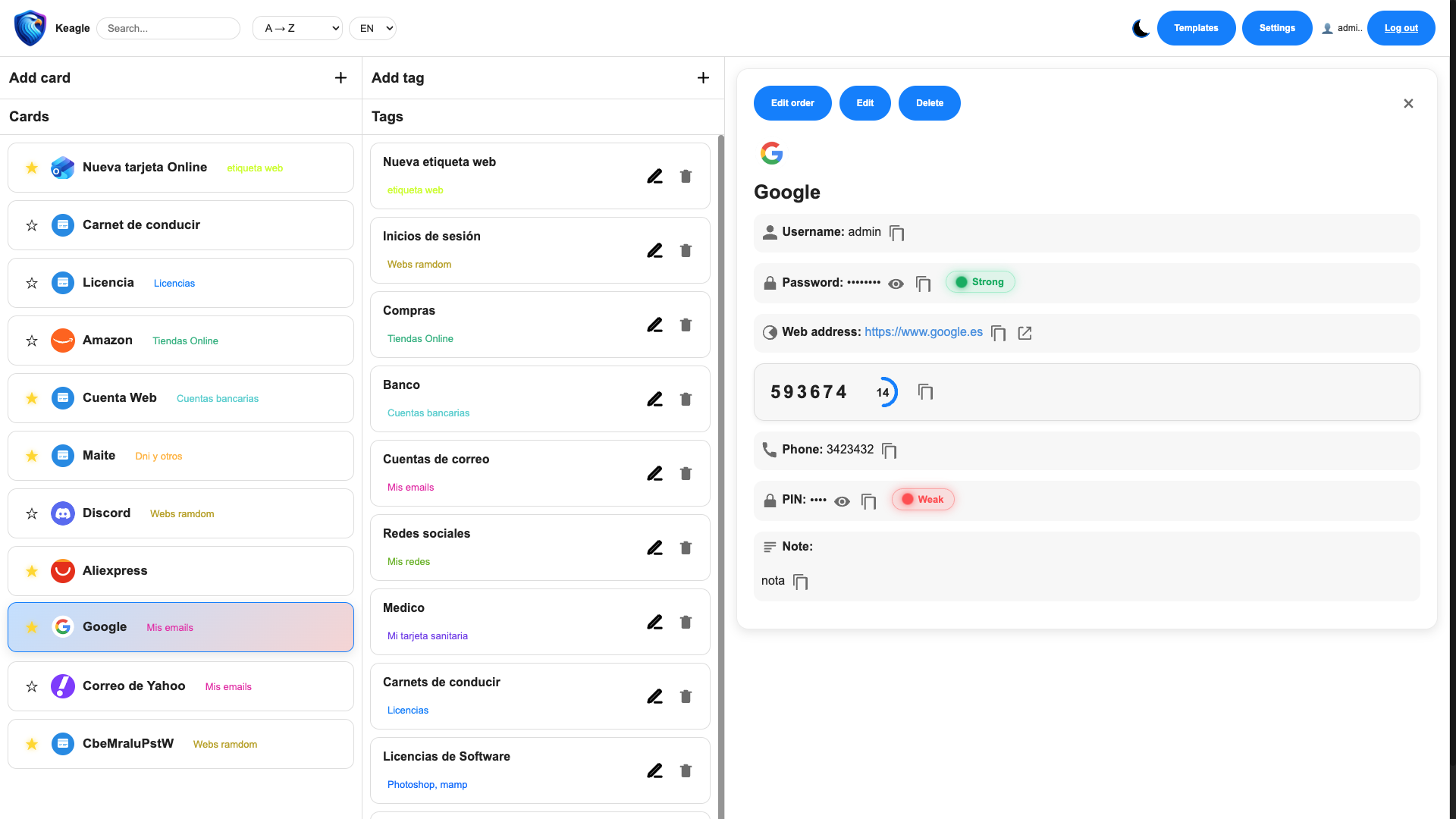
Manage your passwords easily with a clear, user-friendly interface featuring both light and dark modes.
Easily create tags and cards and edit their content according to your needs.
Compatibility
Keagle Password Manager is a web tool compatible with any server running PHP 8.0 and MySQL 5.7+ / MariaDB.
Additionally, it is compatible with all current platforms such as Windows, Mac, and Linux, as well as with any modern browser.

Specifications
- Element Organization: Full creation, editing, and deletion of cards and tags.
- Flexible Structures: Access to card templates, customizable field settings, and adjustable field position design within the cards.
- 2FA Code Generator: A 6-digit code generator that refreshes every 30 seconds to log in to any compatible platform.
- Advanced Filters: Sort cards alphabetically or by favorites system.
- International Support: Multilingual interface translated into 20 languages.
- Responsive Design: Fully compatible with smartphones and tablets.
Assisted Installation Process
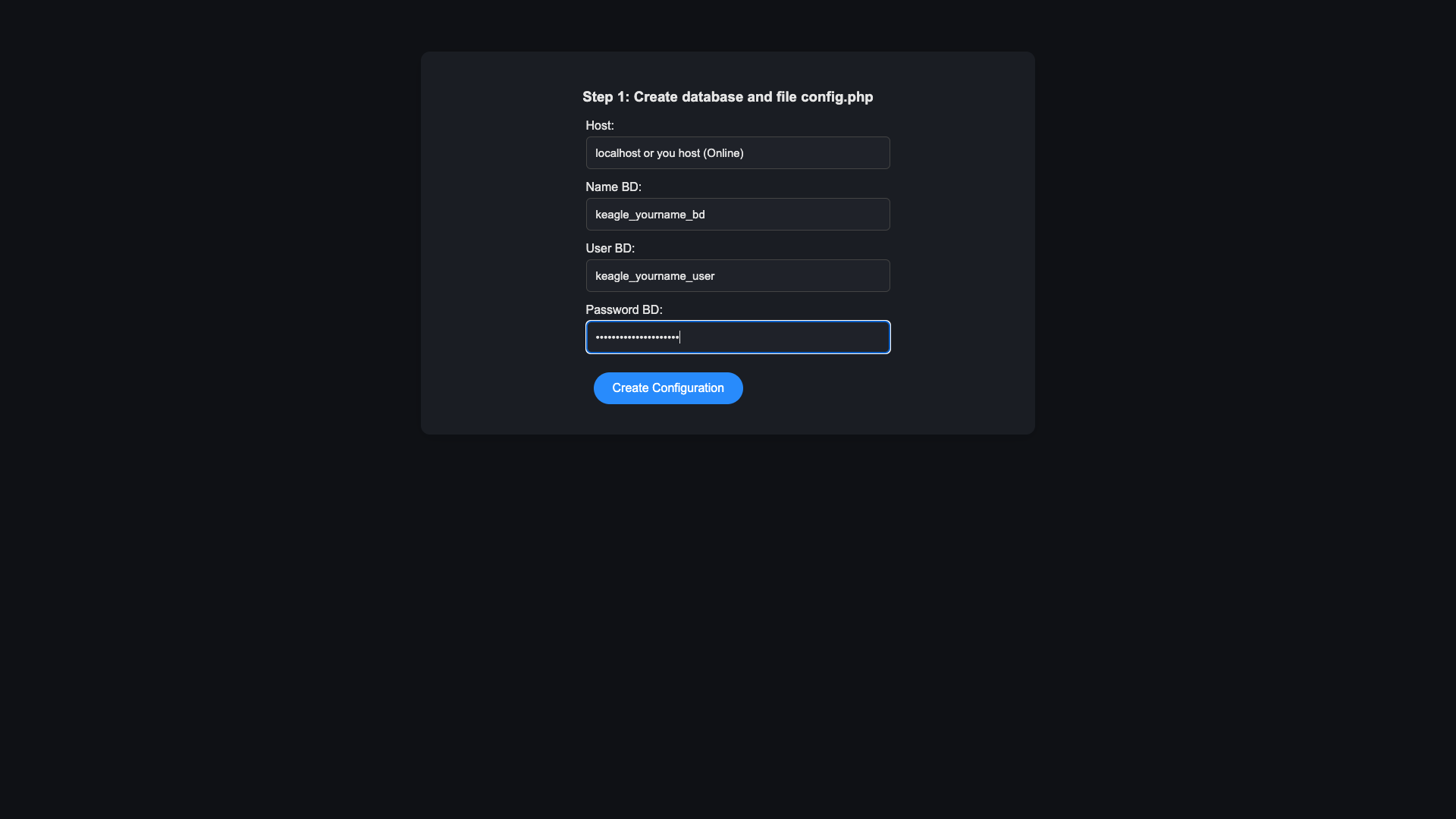
The assistant will guide you simply and step by step through the following stages:
- Execution Environment: Choose whether the installation will be performed on a local server (localhost) or on an online web server.
- Data Connection: Enter your host information and database credentials to proceed with automatic creation.
- Admin Account: Set the username and password you will use to access the application’s control panel.
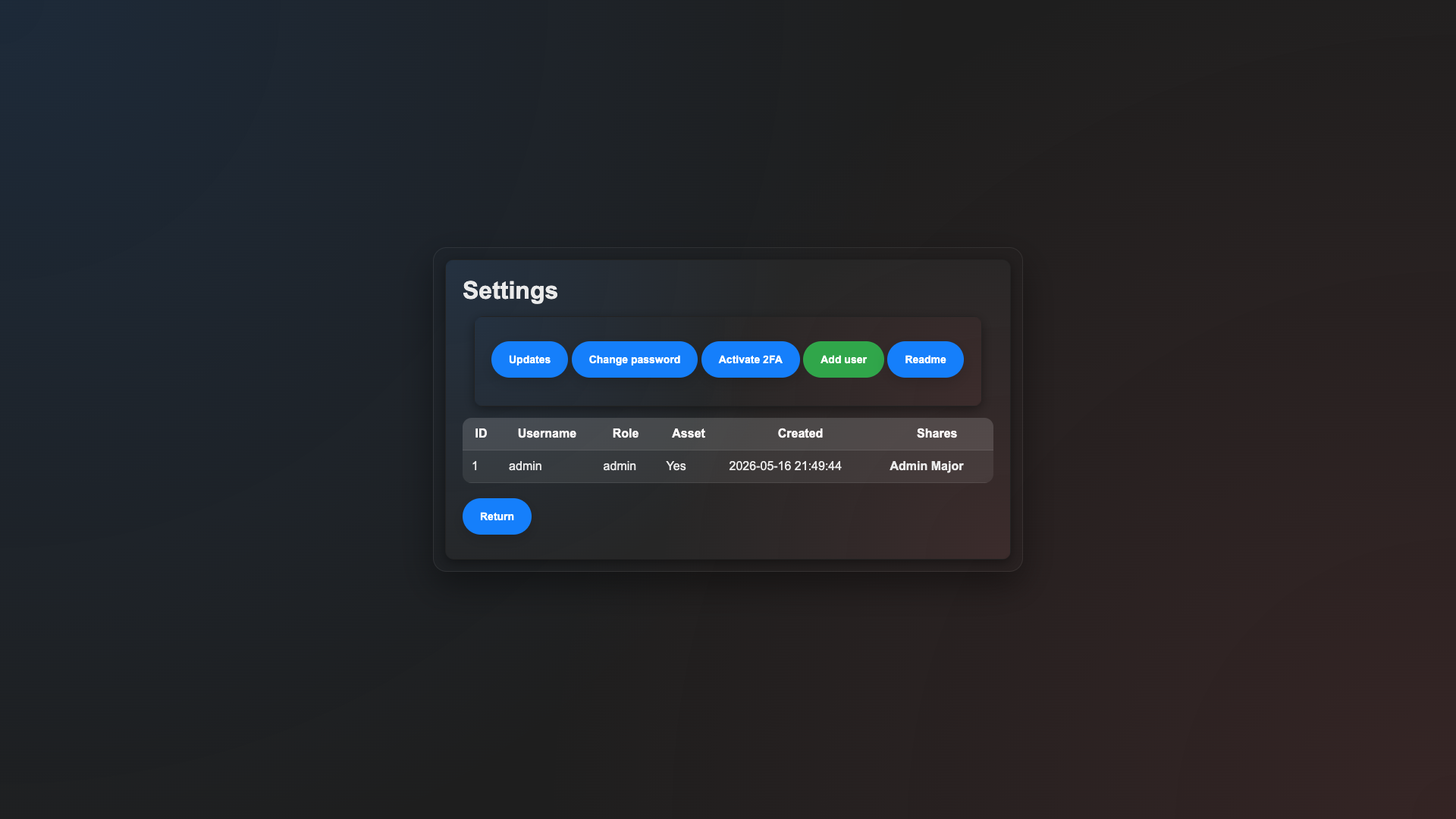
User Management, Access Control, and Permissions
Keagle Password Manager makes it easy to create new users, revoke access by deleting accounts, and dynamically assign roles to tailor privileges according to each member’s responsibilities, making it ideal for managing access for employees or family members on a personal level.
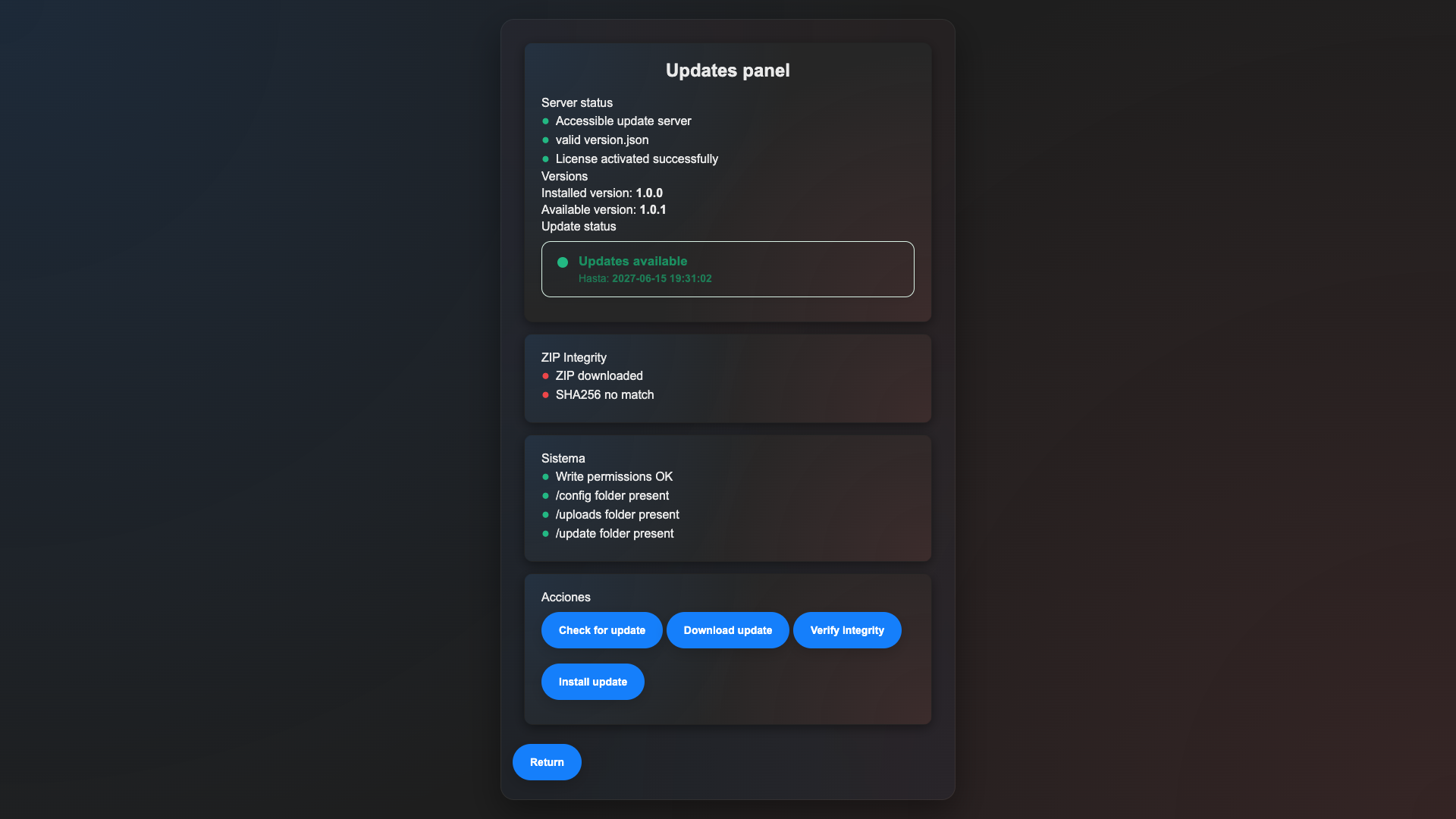
Update and Maintenance Center
Ensure the continuity and proper functioning of your application. The integrated update system allows you to centrally deploy newly developed features, guaranteeing that your work environment always meets the latest technological standards.
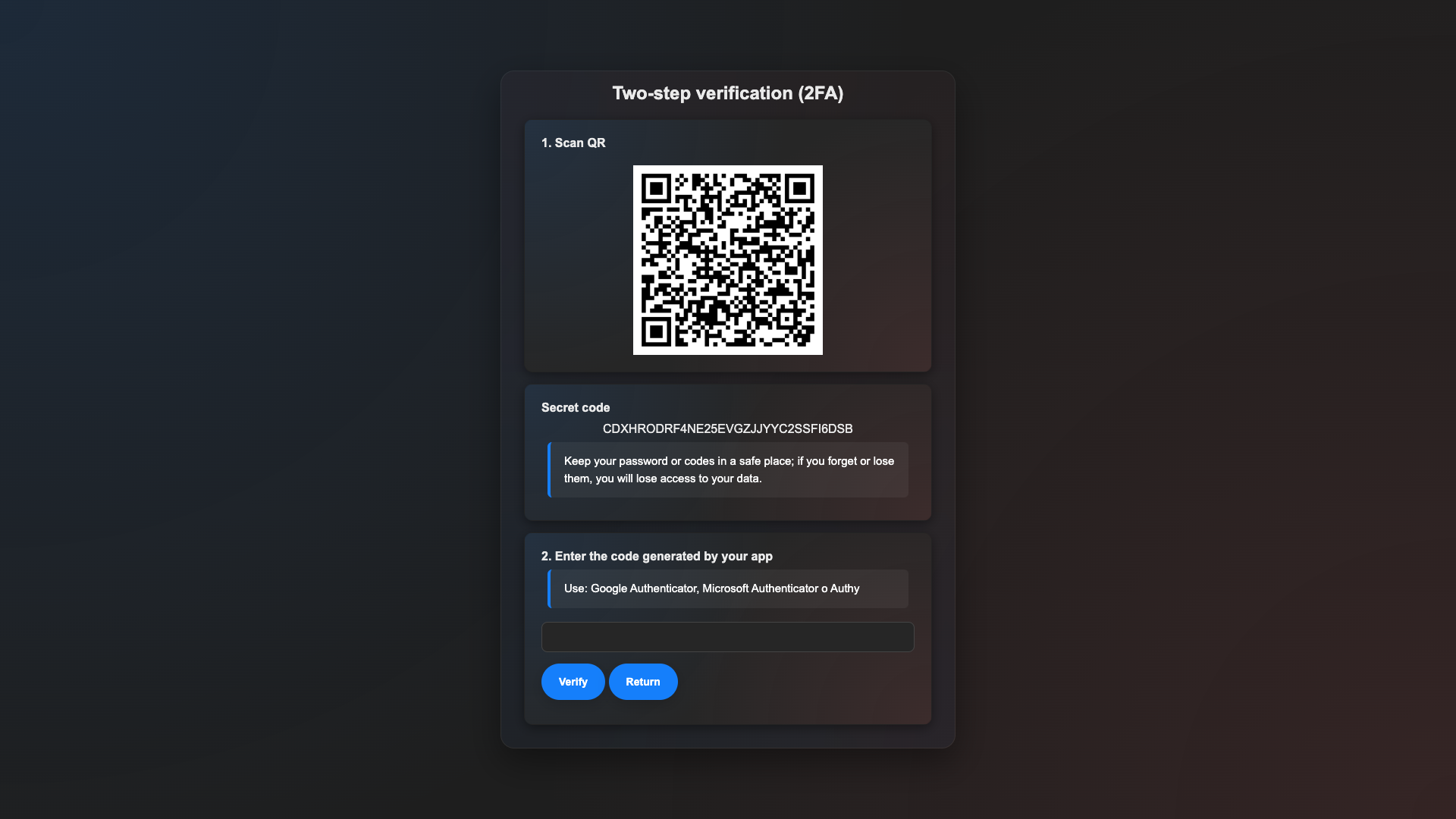
Two-Step Authentication (2FA)
Enhance your account security by adding an extra layer of protection. When you enable this feature, you will need to link your profile by scanning a QR code with the Google Authenticator app (or a similar app). The system will require the dynamic code generated by your mobile device at each login. You can enable or disable this protection at any time.
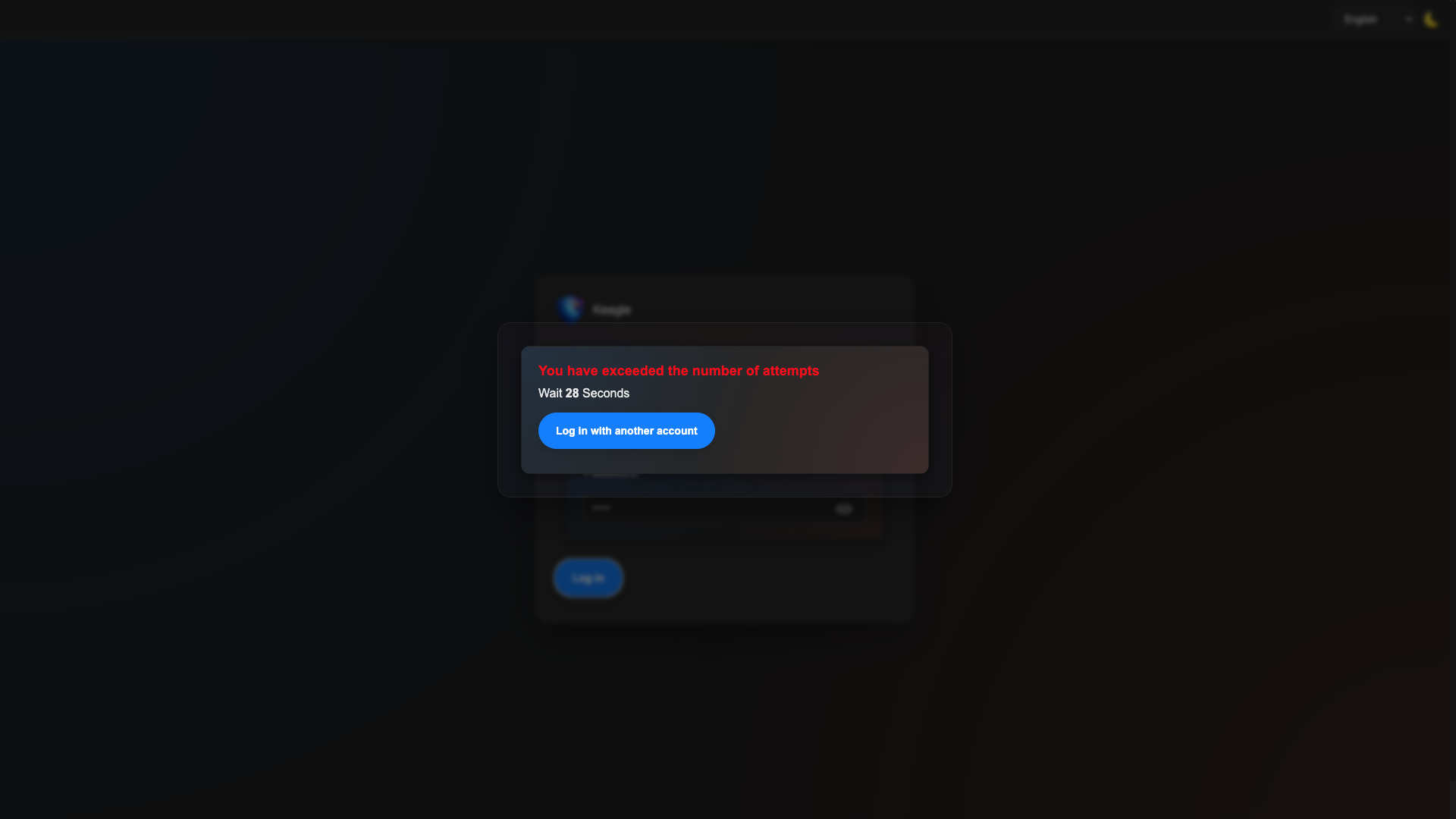
Anti-Brute Force Security
Automatic mechanism that temporarily locks access after multiple failed login attempts to prevent unauthorized access and firewall protection against bots.
Reviews

Frequently Asked Questions
No, Keagle Password Manager should not be hosted in the root folder; it must be hosted in a subdirectory. Additionally, it is configured to prevent search engines from crawling it.
Keagle Password Manager not being open‑source doesn’t mean it’s a black box.
Quite the opposite: the code is right there, fully visible, so anyone can review it. There’s no telemetry, no tracking, and no hidden processes. We simply don’t allow the code to be redistributed or modified freely, but nothing stops you from seeing exactly how it works inside.
It’s transparent software — just with a commercial license.
Keagle Password Manager is the smart choice for anyone seeking real security without complications. Everything is encrypted locally on your server—no cloud, no third parties, and no monthly fees. Your passwords, files, and images are protected with advanced encryption and a premium interface designed to help you work quickly and effortlessly.
Keagle also stands out for its extremely simple installation: it doesn’t require complex configurations or advanced technical knowledge. In just a few minutes, it’s up and running, ready to protect your information with complete independence and privacy.
If you want a powerful, professional, and easy‑to‑install password manager, Keagle is the perfect choice.
Keagle Password Manager doesn’t collect any kind of data. It doesn’t gather metrics, usage stats, telemetry, or anything about how you use the app. It doesn’t analyze your habits, track what you do, or send information anywhere. Everything you do in Keagle stays on your own server, fully under your control.
Keagle only connects to our server to check your license and see if updates are available. No personal data is sent, nothing about your activity is tracked, and no usage info is stored. It’s just a simple, secure check to make sure your installation is up to date.
Plus, Keagle is completely transparent: the code is visible, so anyone can verify that there’s no data collection, no hidden tracking, and no telemetry running in the background.
Keagle is built to give you real security without messing with your privacy—no tracking, no monitoring, and no hidden processes.
Each license allows only one installation per device.
- es — Español
- en — Inglés
- fr — Francés
- it — Italiano
- de — Alemán
- pt — Portugués
- ar — Árabe
- zh — Chino
- ru — Ruso
- sv — Sueco
- ro — Rumano
- nl — Neerlandés / Holandés
- da — Danés
- no — Noruego
- pl — Polaco
- ja — Japonés
- hi — Hindi
- id — Indonesio
- sw — Suajili
- bn — Bengalí
Keagle Password Manager fully encrypts all images and files you upload, using the same secure encryption system that protects your passwords and sensitive data.
No file is ever stored in plain text, and nothing inside the uploads directory can be accessed externally—even if someone were to gain direct access to the server.
Keep in mind that, because the files are encrypted, they can only be viewed inside Keagle after being decrypted with your master key. If you lose your master key, the encrypted files cannot be recovered or opened, as Keagle does not store unencrypted versions.
Remember that Keagle is not a cloud service: all data remains encrypted locally on your server, under your exclusive control.